
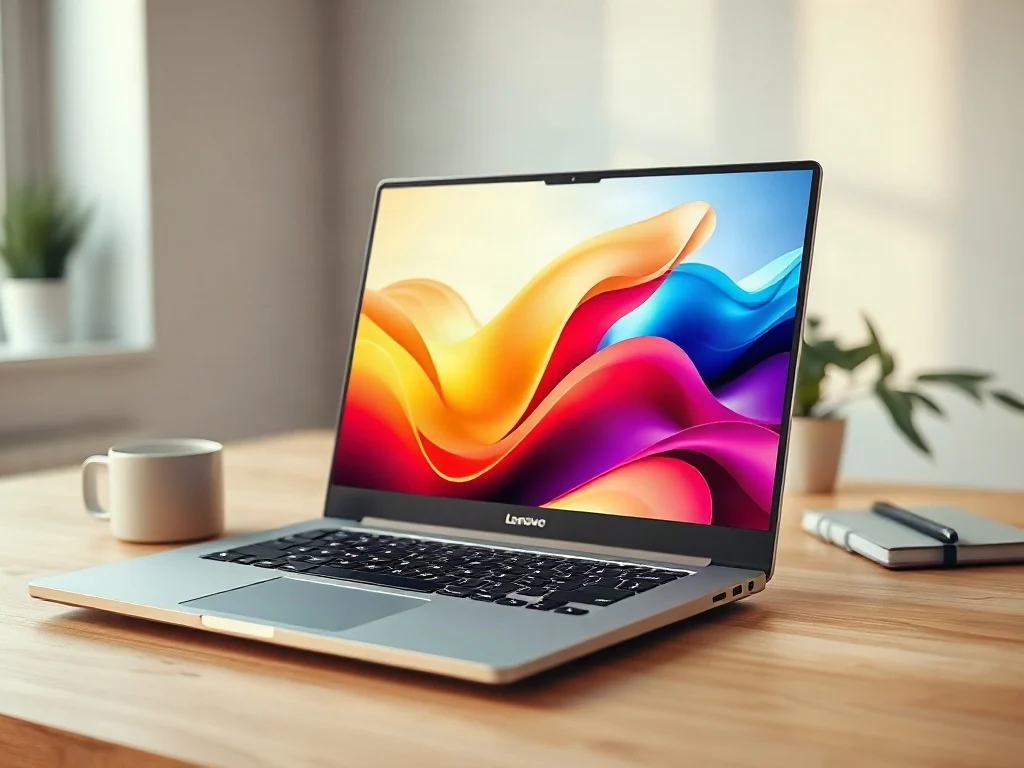
The Lenovo IdeaPad Slim 5x deal that has surfaced at around $900 is notable for one reason: it is arriving while laptop prices are moving in the wrong direction. The original report calls it one of the best deals seen in months. That framing is useful, but a headline price only matters if the machine fits how you work. This article looks at what the discount means, what to check before buying, and where a thin-and-light Arm laptop makes sense and where it doesn’t.
One caveat first. The source report gives only the price and the context, and the listing may change or sell out. Configurations of the IdeaPad Slim 5x have varied by region and retailer. Check the exact processor, memory, storage, and display on the product page before you pay.
Why a $900 Laptop Deal Matters Right Now
The report notes that laptop prices keep climbing. Several forces can push consumer electronics prices up, though which of them applies to a specific model is not always clear. Tariffs, component costs, currency swings, and broader inflation can all affect what a laptop costs at checkout. I won’t claim a specific cause for this discount, because the report doesn’t provide one.
What matters in practice is the price relative to the category. A new thin-and-light laptop with a modern display and current-generation silicon at $900 sits in a competitive range. It is cheaper than many premium ultrabooks and, depending on the configuration, may undercut similarly equipped rivals. If the market keeps tightening, a deal like this could be harder to find later.
What the Lenovo IdeaPad Slim 5x Is
The IdeaPad line is the mainstream consumer family from Lenovo, positioned below the business-focused ThinkPad range. The Slim 5x is part of Lenovo’s push into laptops built on Qualcomm‘s Snapdragon X-series processors rather than traditional Intel or AMD chips. That makes it a Snapdragon X laptop, which has real consequences for compatibility, battery life, and AI features.
The Arm Architecture Difference
Snapdragon X chips use the ARM architecture, the same broad family of designs used in smartphones and in Apple’s Mac chips. Most Windows laptops for decades have used x86 processors. The practical differences are:
- Efficiency: Arm designs generally aim for strong performance per watt, which typically helps battery life and heat.
- Software compatibility: Native Arm apps run best. Many x86 apps run through emulation, which usually works but can cost performance.
- Drivers and peripherals: Niche hardware, older printers, and some specialized tools may lack Arm-compatible drivers.
Microsoft’s version of the platform, Windows on ARM, has improved considerably, but it is not identical to running Windows on an x86 chip. If your workflow relies on a single critical application, confirm it works on Arm before buying.
Copilot+ PC and the NPU
Snapdragon X-based laptops were among the first to qualify as a Copilot+ PC, a Microsoft category that requires a capable neural processing unit (NPU) for on-device AI tasks. Microsoft describes the requirements and features on its official Windows site. The value of these features is debated. Some are useful, such as improved video-call effects and local transcription. Others feel more like marketing than daily necessity. A sensible approach is to treat the AI hardware as a bonus rather than the reason to buy.
Is This the Best Laptop Deal Under $1,000?
Whether this counts as one of the best laptop deals under $1,000 depends on your priorities. The source calls it one of the best the author has seen in months, which is an editorial judgment rather than a measurable benchmark. To test it yourself, compare the offer against these factors.
| Factor | What to check | Why it matters |
|---|---|---|
| Memory | Amount of RAM | RAM is usually soldered on thin laptops and cannot be upgraded later. |
| Storage | Capacity of the solid-state drive | Low capacity fills quickly with apps, media, and updates. |
| Display | Panel type, resolution, brightness | An OLED panel offers deep contrast but differs from an LCD in cost and behavior. |
| Software | Compatibility with your key apps | Emulation can limit performance for some programs. |
| Return policy | Window and restocking fees | A generous return period lowers the risk of trying an Arm laptop. |
How It Compares With Alternatives
At this price, the Slim 5x competes with several types of machines:
- Intel and AMD thin-and-light laptops: These offer the widest software compatibility and often stronger options for gaming or heavy legacy software.
- Apple’s MacBook Air: A longtime benchmark for efficient, quiet laptops, but it runs macOS rather than Windows.
- Other Snapdragon X laptops: Models from other manufacturers share the same platform, so price, display, keyboard, and build quality become the differentiators.
Independent reviews, rather than manufacturer claims, are the best way to compare battery life and sustained performance. Look for tests that measure real workloads, not only synthetic benchmarks.
Who Should Buy and Who Should Wait
Good Fit
A discounted Snapdragon laptop suits people whose work lives mostly in a browser, Microsoft 365, video calls, streaming, and mainstream creative or productivity apps. If you value a light chassis, a good screen, and long unplugged hours, the Arm platform is a strong match. Students and remote workers who carry a laptop all day are the clearest beneficiaries.
Poor Fit
You should be cautious if you depend on specialized engineering software, certain anti-cheat gaming systems, older hardware drivers, or virtualization setups that assume x86. In these cases, a conventional x86 laptop may save you frustration even at a higher price. A cheap laptop that cannot run your essential tool is not a bargain.
Practical Steps Before You Click Buy
- Verify the exact configuration. Check the model number, processor name, RAM, storage, and screen details against Lenovo’s official product pages.
- Confirm your critical apps. Search each vendor’s documentation for Arm or Windows on Arm support.
- Check the seller. Prefer authorized retailers or Lenovo directly, and review the warranty terms.
- Compare the price history. Use a price tracker to see whether the discount is truly low or a routine promotion.
- Read the return policy. If you can return it within a few weeks, you can test your real workflow risk-free.
- Budget for extras. A USB-C hub, case, or extended warranty can change the total cost.
Common Mistakes
- Buying on the headline price without checking memory and storage.
- Assuming every x86 program will run smoothly through emulation.
- Ignoring the return window, then discovering an incompatibility after it closes.
- Treating AI branding as a performance guarantee.
How Deal Timing Works
Laptop discounts tend to cluster around seasonal events such as Black Friday, back-to-school periods, and model refreshes. But a mid-cycle markdown like this one often reflects inventory management or competitive pressure rather than a calendar event. That makes it hard to predict whether a better price is coming. If the configuration meets your needs and the price is within your budget, waiting for a slightly lower figure carries the risk of missing stock entirely. If you are unsure, the return policy is your best hedge.
What Could Change Next
Several developments could reshape this market over the next few years. These are reasonable expectations rather than confirmed facts.
- More native Arm software: As developers port apps, the compatibility gap should narrow, making Arm laptops safer purchases.
- Competition from x86 vendors: Intel and AMD are both working on more efficient chips with their own NPUs, which should keep pressure on pricing and battery life.
- Pricing volatility: Trade policy and component costs may keep prices unstable, so today’s deal could look generous in hindsight or merely ordinary.
- AI features that matter: If on-device AI delivers clearly useful tools, NPU performance will become a more important buying criterion than it is today.
Frequently Asked Questions
What is the Lenovo IdeaPad Slim 5x?
It is a thin-and-light consumer laptop from Lenovo’s IdeaPad range, built around Qualcomm Snapdragon X-series processors and designed to run Windows with long battery life and AI-oriented features.
Is a Snapdragon laptop worth buying?
It can be, if your daily tools work well on Windows on Arm. Browsing, office work, streaming, and video calls generally suit it. Specialized or legacy software may not, so verify compatibility first.
Is $900 a good price for a Copilot+ PC laptop?
It is competitive for a new thin-and-light machine, but the value depends on RAM, storage, and display in the specific configuration. Compare it against similar models and recent price history.
Can I upgrade the RAM or storage later?
On many thin laptops, memory is soldered and cannot be upgraded. Storage may be replaceable on some models. Check the spec sheet or a teardown review for this exact model.
The Real Lesson Behind a $900 Price Tag
The most important insight here is that the price is only half of the decision. Arm-based Windows laptops have reached the point where hardware quality is rarely the problem. Software fit is. A discount of this size shifts the risk calculation in your favor, but it does not remove the need to test your own workflow.
Watch three things next: whether this price holds or disappears, how quickly major apps ship native Arm versions, and whether rival x86 laptops close the efficiency gap at similar prices. If they do, deals like this one will matter less. If they don’t, the question for the next few years is whether Arm becomes the default for mainstream Windows laptops, and whether the buyers who took a chance at $900 were early adopters or simply ahead of the curve.
Frequently Asked Questions
¿Puedo actualizar la memoria RAM del IdeaPad Slim 5x después de comprarlo?
Probablemente no. En portátiles finos y ligeros la RAM suele ir soldada a la placa, así que no se puede ampliar más adelante. Por eso conviene elegir desde el principio la cantidad de memoria adecuada y confirmarla en la ficha del producto antes de pagar.
¿Qué software puede darme problemas en un portátil con Snapdragon X?
Las aplicaciones nativas para Arm funcionan mejor. Muchas aplicaciones x86 se ejecutan mediante emulación, que suele funcionar pero puede reducir el rendimiento. Las impresoras antiguas, el hardware especializado y algunas herramientas específicas pueden carecer de controladores compatibles con Arm, así que verifica tus programas críticos.
¿Merece la pena pagar por las funciones de IA de un Copilot+ PC?
Es mejor verlas como un extra y no como el motivo de compra. Algunas son útiles, como los efectos en videollamadas o la transcripción local, pero otras parecen más marketing que necesidad diaria. Su valor sigue en debate, así que decide por precio, batería y compatibilidad.
¿Por qué los 900 dólares pueden ser un buen precio si los portátiles están subiendo?
Porque un portátil fino y ligero con pantalla moderna y chip de última generación por esa cifra queda en un rango competitivo. Puede costar menos que muchos ultrabooks premium. El informe no explica la causa del descuento, y si el mercado se endurece, ofertas así podrían escasear.
¿Es seguro que la oferta tenga la configuración que describe el artículo?
No. El informe original solo ofrece el precio y el contexto, y la oferta puede cambiar o agotarse. Las configuraciones del Slim 5x han variado según región y tienda, por lo que debes comprobar procesador, memoria, almacenamiento y pantalla exactos antes de comprar.