
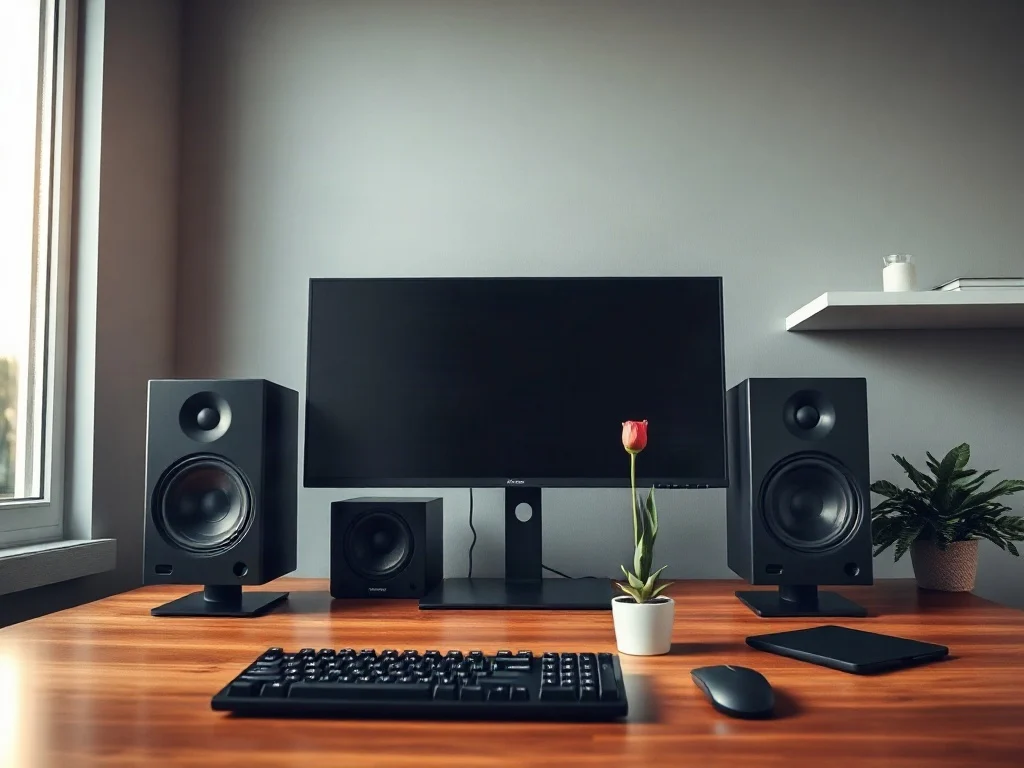
Choosing the best computer speakers is harder than it looks, because the category now spans compact USB bars, bookshelf-style stereo pairs, 2.1 systems with a subwoofer, and full surround rigs. A recent 2026 roundup, which reports testing 30 pairs and narrowing them to eight recommendations, shows how wide that range has become. This article does not repeat that list. It explains what separates good PC speakers from mediocre ones, how each system type behaves on a real desk, and which specifications and connections matter most before you spend money.
What Separates the Best Computer Speakers From Ordinary Desktop Speakers
A computer speaker is a compact loudspeaker designed for near-field listening, usually within one or two meters of your ears. That changes the design priorities. You rarely need huge volume. You need clarity at low and moderate levels, a stable stereo image, controlled bass that does not rattle the desk, and low background noise.
Most desktop systems are powered speakers, meaning an amplifier is built into one of the cabinets. This makes setup simple, but it also means the quality of the internal amplifier, the drivers, and the tuning all come from one manufacturer. Better systems pair a tweeter for high frequencies with a woofer for mids and bass, and they use an audio crossover to split the signal between them. Cheaper single-driver designs often sound thin or harsh.
A Short Background: How Desktop Audio Changed
Early PC audio was an afterthought, with tinny internal beepers and later basic multimedia speakers plugged into a sound card. As music streaming, video calls, gaming, and video editing moved onto the desktop, the computer became a primary listening device for many people. That shift pushed manufacturers toward studio monitor-inspired designs, wireless connectivity, and compact subwoofer systems.
Today the market is shaped by three trends: USB audio that bypasses the computer’s own sound hardware, Bluetooth for phones and tablets, and multi-input designs that let one set of speakers serve a PC, a console, and a turntable.
Stereo, Subwoofer and Surround: Which System Type Fits Your Desk?
The roundup divides its picks into stereo speakers, subwoofer systems, and surround sound setups. That is a sensible framework, because the right category depends on your room and your habits more than on any single product.
| System type | Best for | Main trade-offs |
|---|---|---|
| 2.0 stereo pair | Small desks, music, calls, general use | Limited deep bass unless the speakers are large |
| 2.1 with subwoofer | Movies, games, bass-heavy music | Needs floor space; poor placement causes boomy sound |
| 5.1 surround | Immersive gaming and film in a dedicated space | Cables, setup complexity, and input requirements |
Stereo Pairs
A well-built stereo pair is the most flexible choice. Because two speakers do all the work, manufacturers can spend their budget on better drivers and cabinets rather than on extra channels. For most listeners at a desk, a good pair sounds more cohesive than a mediocre larger system.
Computer Speakers With Subwoofer
Computer speakers with a subwoofer add a dedicated subwoofer for low frequencies, which lets the small satellite speakers focus on midrange and treble. The benefit is fuller sound for action films and electronic music. The risk is overdone bass. A subwoofer placed in a corner or directly against a wall tends to exaggerate low frequencies because of room acoustics, so a bass level control and some experimentation matter.
Surround Sound for the PC
A surround sound system for PC uses multiple speakers to place sound around you. Systems like 5.1 surround sound can make games and films more immersive, but they work only if your computer sends a true multichannel signal and your room allows proper speaker placement. On a small desk, many people find virtual surround from a good stereo pair or headphones more practical.
How to Choose Computer Speakers: The Specifications That Matter
Knowing how to choose computer speakers starts with ignoring the biggest marketing numbers. Peak wattage in particular says little about sound quality, because manufacturers measure it in different ways.
Connections and Digital Audio
The input determines how much of your computer’s audio quality you actually use. An analog 3.5 mm connection relies on the computer’s built-in digital-to-analog converter, which varies in quality and can pick up electrical noise inside a PC case. USB speakers usually include their own converter, which often reduces that noise. Optical TOSLINK is useful for consoles and TVs, while HDMI is increasingly common on larger systems. Check which of these your computer actually provides before buying.
Bluetooth and Latency
Bluetooth is convenient for phones, but it adds delay. Video and gaming can show noticeable lip-sync problems on some connections, particularly when the speakers support only the basic mandatory codec. Look for speakers that offer a wired or USB option for anything timing-sensitive, and consult the official Bluetooth SIG resources if you want to understand codec and profile support.
Frequency Response, Distortion and Volume
Frequency response describes the range of tones a speaker can reproduce, but a range figure without a tolerance, such as plus or minus 3 dB, is not very informative. Total harmonic distortion indicates how much unwanted sound the system adds, though published figures are not always measured under comparable conditions. Maximum loudness, usually stated in decibels, matters less on a desk than how clean the speakers sound at moderate volume.
Placement and Tone Controls
Desk speakers sound best when the tweeters sit near ear height, angled slightly toward you, with some space behind them. Bass and treble knobs or software equalization help correct for your room. Front-facing controls and a headphone jack are small details that you will use every day.
Common Mistakes When Buying PC Speakers
- Buying on wattage alone. Two systems with the same rated power can differ greatly in clarity and bass control.
- Ignoring desk space. Large satellites or a subwoofer under a cramped desk often produce muddy sound.
- Expecting surround from a stereo output. Without multichannel output from the computer, a 5.1 kit will not behave like a home theater.
- Overlooking noise. Hiss at idle is easy to notice in quiet rooms and is a common complaint with cheaper amplifiers.
- Using Bluetooth for everything. It is fine for casual music but less ideal for gaming or editing.
Why Testing 30 Pairs Matters, and Where It Falls Short
Spec sheets rarely capture what makes speakers enjoyable to live with. Extended listening reveals harshness in the treble, bass that smears at higher volumes, awkward controls, and software quirks that measurements miss. Comparing a large field of 30 pairs also lets reviewers judge value across price tiers. That is the practical strength of hands-on roundups.
Their limits are equally important. Sound preference is partly subjective, and any reviewer’s room and desk differ from yours. A pair that suits a large desk may sound overpowering on a small one. Treat a ranked list as a shortlist and verify the return policy, connections, and dimensions against your own setup. Interpretation of the sound is opinion, while connector types and physical size are facts you can confirm independently.
Practical Setup Tips for Better Desktop Sound
- Place the speakers and your head in a rough equilateral triangle, with the tweeters aimed at your ears.
- Keep speakers away from walls and corners where possible, or use the rear-port or bass-level settings to compensate.
- Use isolation pads to stop vibration transferring into the desk.
- Prefer USB or digital connections if you hear hiss or interference through the analog input.
- Check your operating system’s sound settings so the correct output device and sample rate are selected.
- Keep volume moderate. Sustained loud listening can harm hearing, and good speakers should sound clear without being turned up.
Where Desktop Speakers Are Heading
Several developments look likely, though they are predictions rather than confirmed plans. Wireless audio standards continue to improve, which should narrow the latency gap with wired connections over time. More manufacturers are adding USB-C inputs, simple app-based equalization, and multi-device switching, reflecting how many people use one set of speakers across a laptop, phone, and console. Spatial audio processing is also becoming more common, so stereo pairs may deliver more convincing surround effects without extra speakers. Whether those features improve sound or only add marketing value will depend on independent testing.
Frequently Asked Questions About Computer Speakers
What are the best computer speakers for music and gaming?
For music, a high-quality stereo pair with clean mids and treble is usually the best choice. For gaming, a 2.1 system adds impact, and low-latency wired or USB connections help avoid audio delay. Your desk size and budget should guide the final decision.
Do I need a subwoofer for my desk speakers?
Not necessarily. A subwoofer adds depth for films and electronic music, but larger stereo speakers can be enough for general use. If you do add one, placement and level adjustment are essential to avoid boomy bass.
Are USB speakers better than 3.5 mm speakers?
USB speakers often have their own digital-to-analog converter, which can avoid noise from the computer’s internal audio. That does not make them automatically better, since driver and amplifier quality still dominate the overall sound.
Can I use a surround sound system with my PC?
Yes, if your computer or sound card provides multichannel analog, HDMI, or compatible digital output and the speakers have enough space for proper placement. Many compact desks are better served by a stereo pair.
Is Bluetooth good enough for computer speakers?
It is convenient for casual listening, but wired or USB connections are usually better for gaming, video editing, and critical listening because of lower latency and more stable quality.
The Real Test Is Your Own Desk
The most important lesson from any large speaker roundup is that no single product wins in every room. The difference between a satisfying and disappointing purchase usually comes down to matching the system type, connection, and size to how and where you listen. A well-placed stereo pair often beats an expensive surround kit that the computer cannot properly feed.
Watch three things in the next few years: whether wireless codecs finally match wired latency, whether virtual surround becomes convincing enough to make multi-speaker PC rigs rare, and whether manufacturers publish more consistent, comparable specifications. If they do, the gap between marketing claims and measured performance may narrow. Until then, the safest strategy remains the oldest one: shortlist from trusted testing, then confirm the fit with your own ears and your own desk.
Frequently Asked Questions
Do I need a subwoofer for a desktop setup, or is a good stereo pair enough?
For most desk listening, a well-built stereo pair is enough and often sounds more cohesive than a mediocre larger system. A subwoofer mainly helps with action films, games and electronic music. If you add one, you will need floor space and a bass control to avoid boomy sound.
Why does my subwoofer sound boomy even though it is a good model?
Placement is usually the cause. A subwoofer in a corner or directly against a wall exaggerates low frequencies because of room acoustics. Try moving it away from walls, lowering the bass level control, and testing a few positions until the bass sounds balanced instead of overwhelming the midrange.
Will a 5.1 surround system work with any computer?
No. A 5.1 system only delivers true surround if your computer sends a multichannel signal and has the right outputs. You also need room to place the speakers properly. On a small desk, virtual surround from a good stereo pair or headphones is often more practical.
Why do some cheap computer speakers sound thin or harsh?
Many budget models use a single driver to cover every frequency. Better systems pair a tweeter for highs with a woofer for mids and bass, and use a crossover to split the signal between them. This usually gives clearer, smoother and more natural sound at low and moderate volumes.
Is USB audio better than a regular analog connection for PC speakers?
USB audio can bypass the computer's own sound hardware, which may help when the built-in audio is noisy or low quality. Whether it sounds better depends on the speakers' internal converter and amplifier. It is one of several connections worth checking, alongside Bluetooth and multiple inputs.
Can one set of computer speakers serve a PC, a console and a turntable?
Yes, if the speakers have multiple inputs. Multi-input designs are a growing trend, letting a single pair connect to several sources. Check the available connection types before buying, since a turntable may need a phono preamp and a console may need an optical or auxiliary port.