
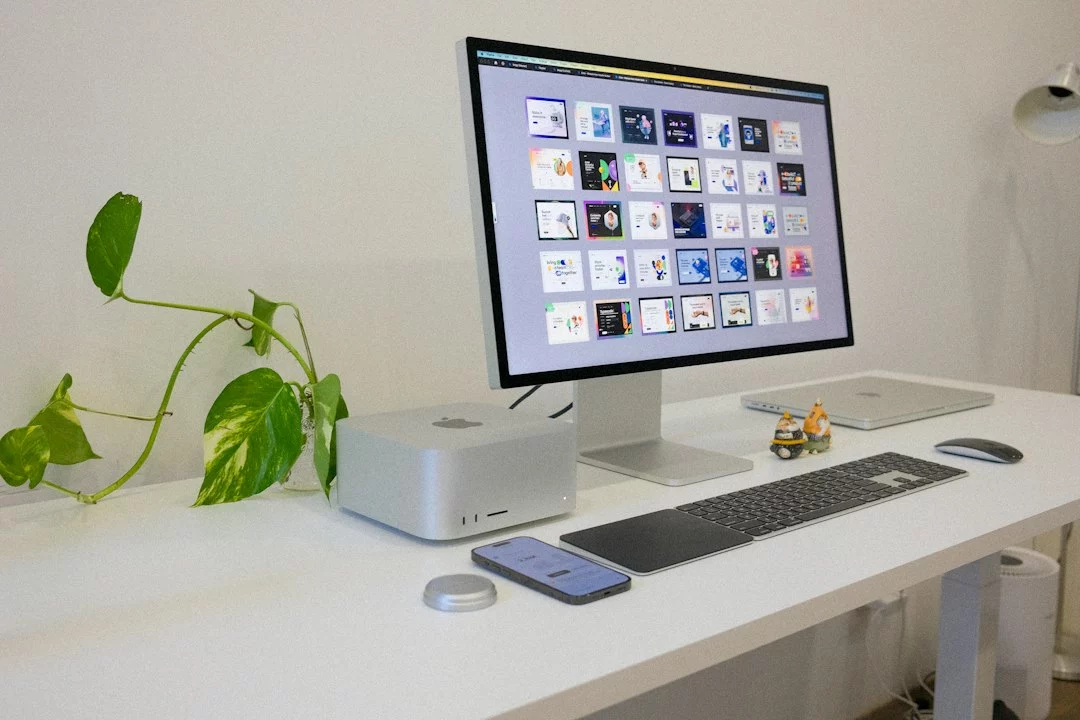
Tasks.txt for Mac is a reminder that productivity software does not have to be crowded to be powerful. By centering work in a plain text document, the app taps into a long tradition of text-based tools, from text files and text editors to the durable appeal of todo.txt and Getting Things Done. The appeal is not nostalgia. It is a design choice: fewer screens, fewer abstractions, and fewer reasons to fight the app before you can actually plan your day.
Tasks.txt for Mac: Why a Plain-Text Task Manager Feels So Elegant
The news angle is simple but interesting. According to the report, Tasks.txt is a totally free macOS app that makes up for missing features with sheer elegance. That trade-off matters because it reflects a broader debate in productivity software: is the best system the one with the most buttons, or the one that gets out of the way? For many users, especially those who think in text rather than boards and dashboards, the answer increasingly points toward the latter.
Why a text document can outperform a crowded interface
At first glance, a task app built around a document sounds like a compromise. Traditional task management tools promise filters, automation, reminders, labels, and rich collaboration. Yet all those layers can create what designers call interaction cost: the time and mental energy required to maintain the system itself. A plain-text workflow reduces that cost because the document is both the interface and the storage layer. You are not learning a complex database model just to capture a thought before it disappears.
That simplicity also changes trust. With a text file, the format is visible. You can open it in almost any text editor, back it up easily, sync it through ordinary cloud storage, and keep using it even if the original app disappears. This is one reason file-based tools tend to outlast trend-driven apps. A text file has low technical drama. It is lightweight, inspectable, and resilient.
That difference is easier to understand when you compare the two approaches side by side:
| Traditional task app | Plain-text task workflow |
|---|---|
| Feature-rich interface with multiple panels | Single document that stays visible and editable |
| Tasks often live inside a proprietary data model | Tasks live in an ordinary file you can inspect directly |
| More discovery, more setup, more maintenance | Less setup, faster capture, lower cognitive overhead |
| Useful for teams and heavy workflow automation | Best for people who value speed, portability, and clarity |
There is a reason this approach keeps resurfacing. In human–computer interaction, the best interfaces often reduce friction by matching the user’s existing mental model. Most people already know how to read and edit text. They do not need a long onboarding process to understand a line item in a document. The app can therefore spend its energy on precision instead of spectacle.
What plain text gets right
Plain text is durable because it is both human-readable and machine-readable. That dual nature gives it a practical advantage over many decorative interfaces. It can be searched quickly, versioned cleanly, and edited from almost anywhere. It also fits the philosophy of free software and local-first design: the user should own the data, not rent access to it.
- Speed: You can type a task immediately instead of navigating menus.
- Portability: The file can move across devices and apps with minimal effort.
- Transparency: Nothing is hidden behind a proprietary layer.
- Longevity: Plain text outlives many app-specific formats.
That is why some users prefer text-first systems even when more polished alternatives exist. The document becomes a stable workspace rather than a product that constantly asks to be managed.
The lineage behind Tasks.txt
Tasks.txt does not appear in a vacuum. It sits within a long line of practical, minimalist tools shaped by the broader history of personal computing at Apple and across the wider software world. From simple notes in a Markdown file to fully structured task systems, the underlying idea is the same: make planning quick enough that people will actually do it. The best-known inspirations are often associated with to-do lists, minimalism, and the practical routines of Getting Things Done.
One especially relevant ancestor is the todo.txt ecosystem. That convention made task lists portable by encoding useful metadata in simple text lines. The format is attractive because it is easy to parse, easy to search, and easy to edit in any command-line interface or graphical editor. For power users, this is important: a task list should not become a locked room. It should be a working file that can travel with you and integrate with scripts, backups, and other tools.
The design lesson here is straightforward. Good software design does not always mean adding more features. Sometimes it means choosing a format that naturally supports extension, exchange, and resilience. In that sense, Tasks.txt is part of a familiar family of tools that prize structure without ceremony.
Why the macOS context matters
On macOS, users often expect apps to be polished, quiet, and fluid. A text-based task manager fits that expectation surprisingly well. It can feel native without becoming bloated. For many people, the appeal is not technical purity but emotional relief: fewer panes, fewer settings, fewer opportunities to get lost. In a market full of polished dashboards, a spare document can feel almost radical.
What users gain from a free macOS app that stays out of the way
The phrase
Frequently Asked Questions
If Tasks.txt is just a plain-text file, does that mean it lacks reminders and automation entirely?
Not necessarily, but the article suggests that Tasks.txt intentionally prioritizes simplicity over a full feature set. The trade-off is fewer built-in distractions and lower maintenance. Users who need reminders or heavy automation may have to rely on other tools around the file, while those who value fast capture and clarity may find the lighter approach more effective.
Why would someone choose Tasks.txt instead of a more advanced task manager with boards, labels, and filters?
Because more features often mean more interaction cost. Tasks.txt appeals to people who want to record and review tasks without managing a complex system first. The document stays visible, editable, and predictable, which can reduce friction and help users focus on planning rather than on configuring the app itself.
What happens to my tasks if the Tasks.txt app is no longer maintained?
That is one of the main advantages of a plain-text workflow: your data is not trapped in a proprietary database. Since the tasks live in an ordinary text file, you can open them in another editor, back them up, or move them to a different app without losing access to the core information.
Is Tasks.txt meant only for solo users, or can it work for teams too?
The article positions it as especially strong for individual users who value speed, portability, and simplicity. Teams usually benefit more from collaborative features, permissions, and shared workflows, which plain-text tools do not emphasize. That said, a shared text file can still work for small, disciplined teams with simple needs.
How is Tasks.txt connected to todo.txt and Getting Things Done?
Tasks.txt follows the same broader philosophy: keep tasks in text, minimize interface clutter, and make the workflow durable over time. Like todo.txt and GTD, it treats task management as an exercise in clarity and capture rather than in visual complexity. The result is a system that feels more like writing than operating software.