
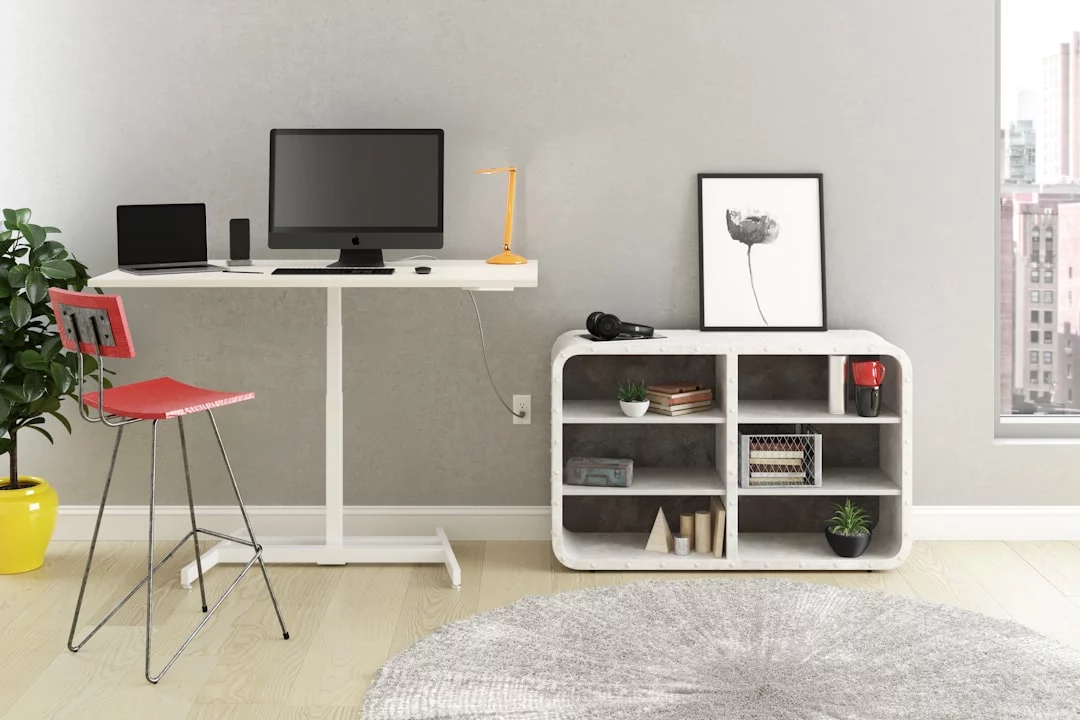
The best standing desks are no longer a niche upgrade; they are a practical ergonomics decision for anyone spending long hours at a screen. In a modern home office shaped by remote work, a good sit-stand setup can help break up sedentary lifestyle patterns, support healthier posture, and make a dependable workstation easier to live with day after day.
Top Standing Desks Worth Buying in 2026
To compare the strongest options intelligently, think less about marketing and more about furniture engineering: frame rigidity, lift range, controls, and whether the desk fits your office routine. This guide focuses on the features that separate a reliable standing desk from a fashionable one, and on the design trade-offs buyers should actually notice before they commit to a long-term setup.
Why standing desks still matter in 2026
The appeal of a standing desk has changed. A few years ago, buyers were mostly reacting to the novelty of switching positions. Now the conversation is broader: hybrid work, longer screen time, and more awareness of human factors and ergonomics have turned desk design into a real productivity and comfort issue. The point is not to stand all day. The point is to avoid locking the body into one position for hours at a time.
That distinction matters because static standing can be uncomfortable too. The best office setups borrow from ergonomics and occupational safety and health: they reduce awkward reach, keep the display at eye level, and make movement easy. The U.S. CDC’s NIOSH ergonomics guidance and OSHA’s ergonomics resources both emphasize fit, neutral posture, and workload design rather than any single magic accessory.
Best standing desks: what to prioritize before you buy
Frame stability and weight capacity
If a desk wobbles at standing height, the whole experience falls apart. Stability is the first quality test because a shaky frame makes typing, writing, and monitor work feel unreliable. Heavier dual-monitor setups or a laptop, monitor arm, and audio gear can expose weak frames quickly. A good design should feel planted when you lean, scroll, or reach for a mouse.
In practice, the difference often comes down to the frame geometry and the quality of the lift system. Better models spread load more evenly and resist torsion, which matters more than raw lift speed. For buyers comparing the best standing desks, weight capacity should be read as a real-world margin, not a bragging number.
Height range and body fit
A desk that does not reach your ideal sitting and standing heights is not truly ergonomic. Taller users need more top-end travel; shorter users need a low enough minimum height to keep shoulders relaxed and elbows near a natural angle. This is why desk fit should be measured against body dimensions rather than room aesthetics.
The right setup keeps the keyboard close, the computer monitor high enough to avoid neck strain, and the keyboard and computer mouse within easy reach. If the desk is too high, you will shrug. If it is too low, you will round your shoulders. Either way, comfort erodes fast.
Motor system, speed, and noise
Most buyers want a motorized desk because adjustment frequency is what drives usage. A quiet electric motor and a well-designed linear actuator make the desk feel effortless enough that you actually change positions. Slow or loud lifting can turn a useful tool into a chore, and chores do not survive busy workdays.
Speed matters, but only after stability and smoothness. A desk that rises quickly but shakes, rattles, or pauses unpredictably is less useful than a slower one that moves with confidence. For most home offices, consistency beats raw lift speed.
Controls, memory presets, and safety
Good controls reduce friction. Memory presets are valuable because they remove the mental math from changing positions. Anti-collision protection is worth prioritizing if the desk will move near shelves, cabinets, or a low window ledge. A quality control panel should feel simple enough that you do not need to think about it twice.
Safety also includes sensible behavior after setup. If your desk remembers heights accurately and changes position without jerking, you are more likely to use it multiple times a day. That repeated movement is the real benefit.
Surface size and cable management
The desktop itself determines whether the setup works as a workstation. A narrow surface can crowd a monitor, keyboard, and notes into one compromised zone. Too much surface, on the other hand, can invite clutter if cable routing is ignored. The best layouts reserve enough depth for a screen at proper viewing distance and enough width for natural arm movement.
Clean cable management is not cosmetic. It protects the lift range, reduces snagging, and keeps accessories from dragging on the frame. Once a desk starts moving, loose cables become a mechanical problem rather than a visual one.
The ten standing-desk profiles worth considering
| Desk profile | Best for | Main trade-off |
|---|---|---|
| Dual-motor all-rounder | Most home office users | Higher cost than basic models |
| Compact electric desk | Small rooms and apartments | Less desktop space |
| Manual crank desk | Budget buyers who adjust occasionally | Slower height changes |
| Heavy-duty desk | Multiple monitors and dense setups | Bulk and price |
| L-shaped workstation | Multitaskers and power users | Large footprint |
| Tall-user desk | People who need extra standing height | Requires generous vertical travel |
| Short-user desk | Lower seated and standing positions | Fewer frames fit properly |
| Minimal premium desk | Design-focused offices | Less forgiving if overloaded |
| Smart-connected desk | Users who like app reminders and data | More features to manage |
| Treadmill desk companion | Active users building more movement into the day | Noise, balance, and space demands |
1. The dual-motor all-rounder
This is usually the safest recommendation for most buyers. Dual motors tend to offer better balance under load, smoother movement, and stronger confidence when the desk rises to full height. If you use two monitors, a laptop dock, or a monitor arm, this category often delivers the best balance of performance and value.
2. The compact electric desk
For apartments, bedrooms, and tight corners, a smaller motorized desk can make standing work realistic without overwhelming the room. The compromise is obvious: less desktop depth, less room for paper, and sometimes less stability. But if space is your constraint, a compact model is better than a larger desk that never fits properly.
3. The manual crank desk
Manual desks are slower, but they can still be sensible if you change height infrequently and want to avoid a motor altogether. They are most attractive when budget matters more than convenience. The hidden risk is that slow adjustment discourages use, which undermines the entire sit-stand concept.
4. The heavy-duty desk
If your setup includes multiple screens, a wide speaker pair, or other dense equipment, heavy-duty framing becomes essential. This is where weight capacity is not a nice-to-have but a structural requirement. A powerful desk should not only lift the load; it should do so without visible sway or frame flex.
5. The L-shaped workstation
An L-shaped design is ideal if you split work between a primary screen zone and a secondary task zone. It can support editing, coding, design, or any workflow that benefits from side-by-side surfaces. The downside is footprint. Measure carefully before assuming the extra space will fit.
6. The tall-user desk
Taller users often struggle with desks that stop just short of a comfortable standing position. That leads to shrugged shoulders, bent wrists, and a setup that is technically adjustable but practically wrong. The best tall-user desks offer enough upward travel that the monitor stays at eye level without forcing a compromise elsewhere.
7. The short-user desk
Shorter users should pay close attention to minimum height. If a desk cannot lower enough, even the sitting position will feel awkward, especially with a thicker desktop or monitor stand. This category is easy to overlook, yet it is one of the most important reasons people return a desk after purchase.
8. The minimal premium desk
Some buyers want the desk to disappear into the room visually. Minimal premium models often use cleaner lines, subtler controls, and more refined materials. The risk is that style can outrun practicality. Beautiful desks still need strong frames, good travel, and sensible cable routing.
9. The smart-connected desk
App integration and usage reminders are useful if they help you form better habits. A smart desk can nudge you to change positions or track sit-stand cycles, but the feature set only matters if it stays simple. In the best cases, technology supports behavior; in the worst, it becomes another app to ignore.
10. The treadmill desk companion
A treadmill desk setup is not for everyone, but it can be transformative for people who want more low-intensity movement during the workday. The trade-offs are real: noise, balance, and room layout all matter. For focused reading, calls, and routine admin work, it can be effective. For precision tasks, many users still prefer to stand or sit instead.
How to choose a model that fits your body and workflow
Measure before you buy
Start with your body, not the product page. Measure your seated elbow height, your comfortable standing elbow height, and the monitor position you need to keep your neck neutral. Then compare those numbers to the desk’s minimum and maximum height. A desk that fits the room but misses the body is the wrong purchase.
Match desk depth to monitor setup
If your screen sits too close, you may compensate by leaning back or craning your neck. That is why monitor depth matters as much as desk width. Users of larger screens or monitor arms usually need more depth than they first expect, especially when the keyboard and mouse must remain in the primary reach zone.
Consider accessories and cable load
A standing desk rarely stays bare for long. Monitors, lamps, charging stations, docking hubs, and speakers all add weight and cable clutter. Before buying, estimate the real load, not the empty frame. The better your planning, the less likely you are to discover that the desk is technically capable but practically overburdened.
What research says about health and productivity
The strongest evidence around sit-stand desks is not that they transform health overnight. Rather, studies in occupational health generally show that these desks can reduce sitting time and may help some users feel less discomfort over the day. Evidence for long-term outcomes such as productivity, cardiovascular benefit, or reduced injury is more mixed and depends heavily on how the desk is used.
A standing desk helps most when it increases movement, not when it replaces one static posture with another.
That is the core insight behind modern ergonomics. A good desk is a tool for posture variation, not a stand-alone cure for musculoskeletal disorders or lower back pain. If you stand rigidly for hours, you can trade one problem for another. The healthiest setups encourage micro-movements, sensible screen height, and easy transitions between sitting, standing, and walking.
Common mistakes buyers make
- Choosing by price alone: a cheap frame that wobbles or fails height tests is expensive in practice because it reduces usage.
- Ignoring monitor height: even a great desk fails if the screen sits too low or too high.
- Standing for too long: a sit-stand desk should support variation, not force marathon standing sessions.
- Forgetting accessories: a floor mat, monitor arm, or cable management kit often matters as much as the desk itself.
- Overloading the frame: weight capacity should include all real equipment, not just the laptop you started with.
- Skipping returns and warranty terms: standing desks are heavy, and a bad purchase is more annoying to replace than a chair or lamp.
FAQ: standing desk buying questions people actually ask
Are standing desks worth it?
Yes, if you use them to vary posture and reduce prolonged sitting. They are most valuable when the desk fits your body and your workflow, not just when it looks modern.
How long should I stand at my desk?
There is no universal number, but alternating positions throughout the day is usually better than standing for hours at a time. Many users find short standing intervals easier to sustain than long ones.
Is a dual-motor desk better than a single-motor desk?
Often, yes. Dual motors usually improve balance, especially under heavier loads or at higher lift positions. That said, a well-built single-motor desk can still be a solid choice for lighter setups.
Do I need a treadmill desk?
Only if you want low-speed movement built into your day and you can tolerate the space and noise trade-offs. For many people, a standard standing desk is simpler and easier to use consistently.
What to watch next in standing-desk design
The next wave of standing desks will likely be less about novelty and more about refinement. Expect quieter lifting systems, better collision detection, smarter memory presets, and more attention to sustainable materials and long-term durability. The most interesting shift may be behavioral: desks that make it easier to move without thinking are the ones most likely to become habits rather than gadgets.
The real question is no longer whether a desk can rise and lower. It is whether the desk can help people build a workday that changes posture naturally, supports focused work, and avoids the trap of one static position. In that sense, the best standing desks of 2026 are not just furniture; they are workflow tools that shape how a room, a body, and a routine fit together.
Frequently Asked Questions
Do I need to stand all day to get the benefit of a standing desk?
No. The article’s main point is that the goal is movement, not constant standing. The best setup helps you alternate positions throughout the day so you avoid staying locked in one posture for too long. In fact, standing all day can be uncomfortable, so the real benefit comes from regular changes between sitting and standing.
How can I tell if a standing desk will be stable enough for a heavy setup?
Look beyond the advertised weight capacity and consider how the frame is built. A stable desk should resist wobble when fully raised, especially if you use dual monitors, a monitor arm, or other gear. Frame geometry, torsion resistance, and lift quality matter more than a high number on the spec sheet alone.
What if I am very tall or short—how important is the desk height range?
It is critical. A desk can be well-made but still feel wrong if it does not match your body. Taller users need enough maximum height to avoid shrugging, while shorter users need a low enough minimum height to keep shoulders relaxed. True ergonomics depends on fitting your sitting and standing positions, not just the room.
Is a faster motor always better in a standing desk?
Not necessarily. Speed matters only after the desk is stable and smooth. A fast desk that shakes, rattles, or pauses unpredictably can be more frustrating than a slightly slower one. For everyday home office use, a quiet, consistent lift is usually more valuable because it encourages you to change positions more often.
Are memory presets and anti-collision features really worth paying extra for?
Often, yes. Memory presets remove the hassle of fine-tuning the desk every time you switch positions, which makes regular use more likely. Anti-collision protection is especially useful if the desk sits near shelves, walls, or windows. These features do not just add convenience; they reduce friction and help protect your workspace.